

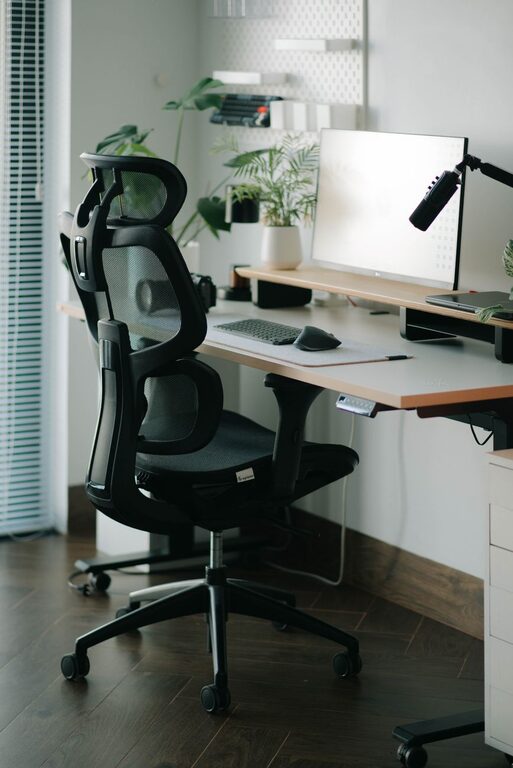
Creating an effective desk setup can greatly improve your focus and comfort throughout the day, whether you work from home, at an office, or study. A well-organized and thoughtfully arranged workspace not only helps reduce distractions but also supports good posture and reduces fatigue. In this post, we’ll explore practical tips to optimize your desk setup for maximum comfort and productivity.
Why a Good Desk Setup Matters
Your desk is the center of your work or study environment. When arranged properly, it encourages concentration and prevents physical strain. Poor setup can lead to discomfort, decreased productivity, and even long-term health issues like back or neck pain. Paying attention to your workspace layout can make a big difference in how you feel and perform during your day.
Choosing the Right Desk and Chair
Desk Height and Size
Start with a desk that fits your space and needs. Ideally, your desk height should allow you to keep your elbows at about a 90-degree angle when typing or writing. Standard desk heights range between 28 to 30 inches, but adjustable desks are a great investment since they let you customize to your comfort.
Make sure your desk is large enough to hold essential items without cluttering. This includes your computer, keyboard, mouse, notebooks, and any other tools you frequently use.
Ergonomic Chair
Investing in a good chair is crucial. An ergonomic chair supports your lower back, encourages good posture, and reduces strain on your spine. Look for chairs with adjustable height, lumbar support, and comfortable cushioning. When sitting, your feet should rest flat on the floor or a footrest, and your knees should be roughly level with your hips.
Proper Monitor Placement
Positioning your computer screen correctly helps prevent eye strain and neck pain. The top of the monitor should be at or slightly below eye level. This allows you to look straight ahead or slightly downward at the screen without tilting your head.
Place the monitor about an arm’s length away to reduce eye fatigue. If you use multiple screens, arrange them so you can easily glance between them without excessive neck movement.
Keyboard and Mouse Setup
Keep your keyboard and mouse close enough so your elbows can stay by your sides. Your wrists should be straight and not bent up or down while typing or using the mouse. Consider a wrist rest to maintain a neutral wrist position and reduce strain.
If possible, use an external keyboard and mouse instead of the built-in devices on laptops, as this allows for better positioning.
Manage Lighting to Reduce Eye Strain
Good lighting is essential to reduce fatigue and keep you alert. Natural light is best, so position your desk near a window if possible. Avoid glare on your screen by adjusting blinds or curtains.
If natural light is limited, use a desk lamp with adjustable brightness and color temperature. Soft, warm light is relaxing, while cooler, brighter light helps stay alert and focused.
Keep Your Desk Organized and Clutter-Free
A tidy workspace helps clear your mind and reduces distractions. Use organizers such as trays, shelves, or drawer dividers to keep supplies in order. Only keep frequently used items on your desktop. Store papers and other materials out of sight to maintain a clean surface.
Cable management is also important to prevent tangles and clutter. Use clips or sleeves to keep cords organized and off your work area.
Incorporate Comfort and Personal Touches
Adding a few personal items or plants can make your workspace more inviting. Plants improve air quality and have been shown to boost mood and productivity. Choose low-maintenance plants like succulents or pothos.
Comfort items like a soft cushion, footrest, or even a small desk fan can enhance your work experience. However, avoid too many distractions on your desk to maintain focus.
Take Regular Breaks and Move
No matter how well your desk is set up, sitting for long periods can cause stiffness and fatigue. Follow the 20-20-20 rule: every 20 minutes, look at something 20 feet away for 20 seconds to rest your eyes.
Stand up, stretch, or take short walks to keep your blood flowing. Using a sit-stand desk or adjustable workspace can make it easier to change positions throughout the day.
Summary Checklist: Desk Setup Tips
– Choose a desk at a comfortable height and size
– Use an ergonomic chair with lumbar support
– Position your monitor at eye level, about an arm’s length away
– Keep keyboard and mouse close, with neutral wrist positioning
– Optimize lighting to reduce glare and eye strain
– Keep your desk clean and clutter-free with organizers
– Add plants or small personal items for comfort and motivation
– Take regular breaks to rest your eyes and move your body
By following these simple tips, you can create a workspace that supports focus, comfort, and long-term health. A well-designed desk setup encourages productive habits and makes your workday more enjoyable.